Metrics365 Delivery Approach
An innovative Delivery Toolset and robust Delivery Methodology to empower your Power App Development Team
Rapid Application Development
The Metrics365 Essentials suite positions the Canvas Power App as a more compelling implementation choice when usually compared with the quick low-code delivery approach that can be achieved with a Model-Driven Power App. The Metrics365 Rapid Application Development (RAD) App provides a proposed delivery methodology and selection of tools to document and manage the entire lifecycle of App Development (Plan > Build > Test > Deploy > Support). This standard approach helps manage scope, accelerate delivery, and will encourage a consistent and repeatable process to ensure a higher quality App delivered to your end-users.
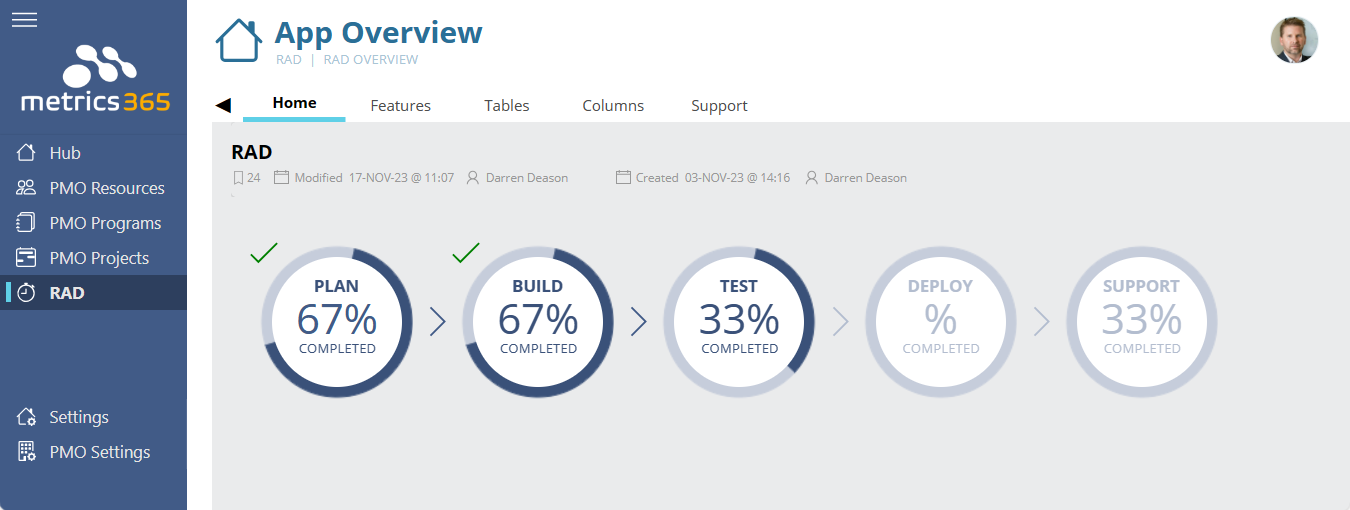
1 - Plan Stage
Conduct Planning Workshops and define the features within your new App - document and categorise their requirements and specific design considerations. Prepare a dynamic Solution Requirements document at the click of a button.
2 - Build Stage
Your Development Team will define the data Tables and their respective Columns that are required in the data backend to support your App. Output a Data Dictionary document directly from the tool (exported as DOCX, XLSX, PPTX, PDF etc.) - this can be an organic document, continually updated and referenced through the evolving life of the App. Define a set of necessary Tasks to build the features in your App and track progress. Developers can also benefit from automatically generating the T-SQL Scripts and/or SharePoint PnP PowerShell Scripts for creating the App schema as defined by the Tables and Columns planned for the App in development.
3 - Test Stage
Prepare Test Cases for each feature defined in your App and when ready for testing handover to the Test Team for formal User Acceptance Testing (UAT). Testers provide Test Results and raise defects and/or enhancement requests back to the Development Team. You are able to prepare a Test Plan document directly from the tool (exported as DOCX, XLSX, PPTX, PDF etc.) to assist in the testing process.
4 - Deploy Stage
The Deployment Team can provide Release Notes for each feature of the App in readiness for deployment (Go Live) to your organisations production environment. A Deployment Plan can be prepared directly from the tool (exported as DOCX, XLSX, PPTX, PDF etc.) to assist in the release management process.
5 - Support Stage
Once the App has been released to production there will typically be a handover to Operational Support. With end-users now able to access the App, if any issues are discovered they can raise a Support Ticket that is sent to the internal App Owner to resolve.
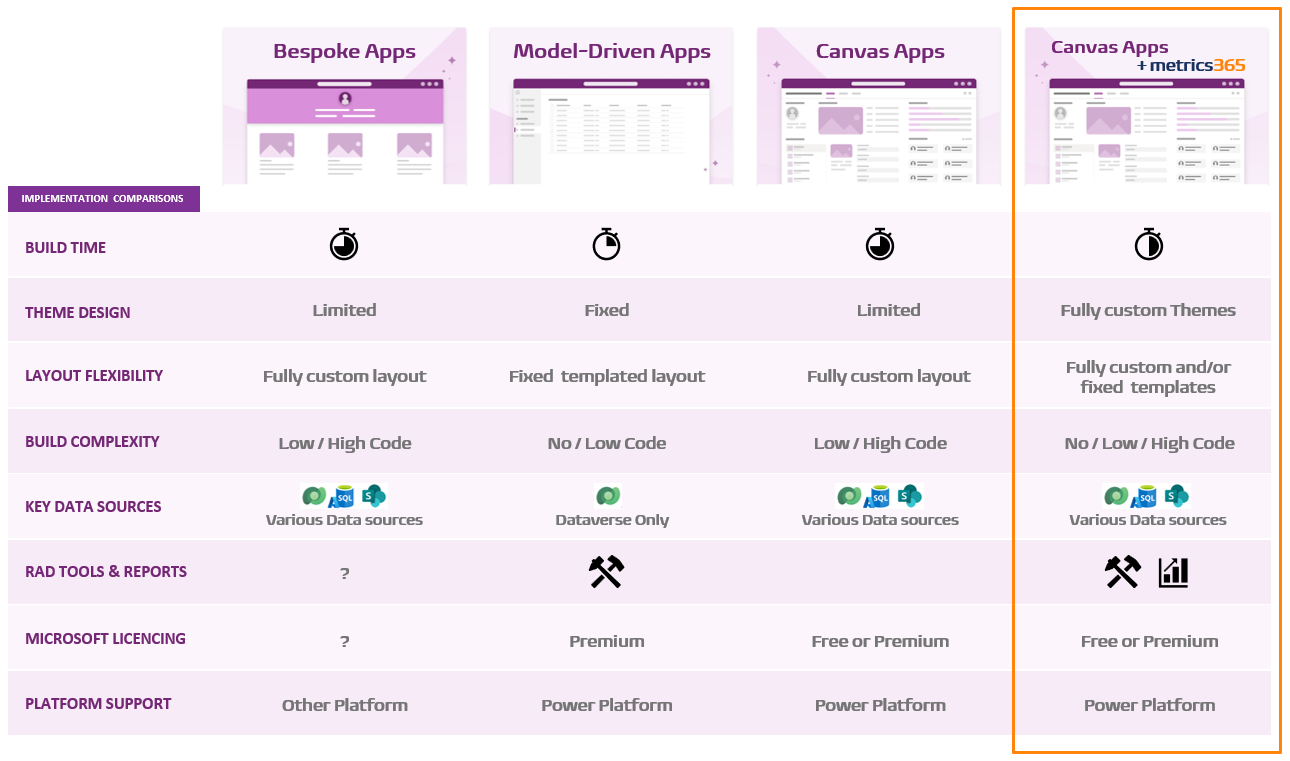
The Metrics365 suite positions Canvas App delivery nearer to the rapid speeds achieved with Model-Driven Apps, whilst maintaining their ability to have fully customised design layouts, dynamic user interfaces and a choice of either Standard or Premium licenced backend data sources (Azure SQL databases / SharePoint Lists / Dataverse).
App Development Comparison Chart
The Metrics365 Essentials suite positions Canvas App delivery nearer to the rapid speeds achieved with Model-Driven Apps, whilst maintaining their ability to have fully customised design layouts, dynamic user interfaces and a choice of either Standard or Premium licenced backend data sources (Azure SQL databases / SharePoint Lists / Dataverse).